Admin Feature
User IP Address
Administrators can WHITELIST IP Addresses in User IP Address from the Admin Features Dashboard.
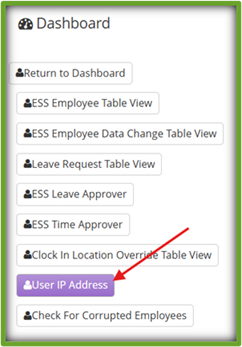
Step 1: On the Admin Features Dashboard ~ Click User IP Address
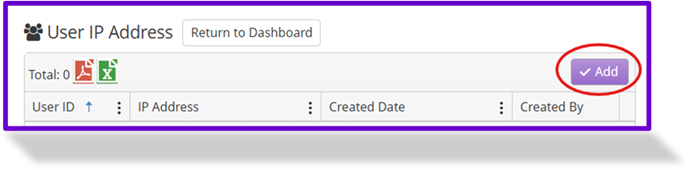
Step 2: Click Add
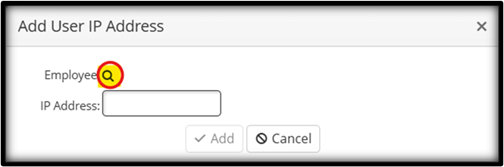
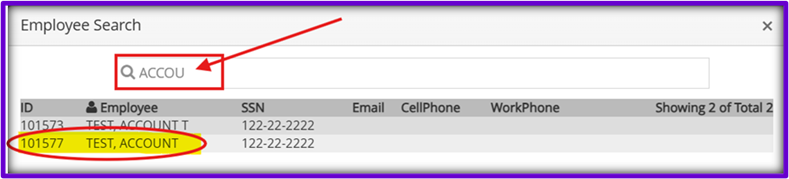
Step 3: Click the Search Icon (magnifying glass)
Step 4: Locate the Desired Employee ~ Click on the Desired Employee’s Name/ID
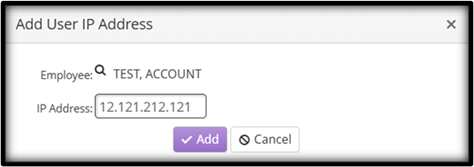
Step 5: Enter the Desired IP Address
Step 6: Click Add
to DELETE
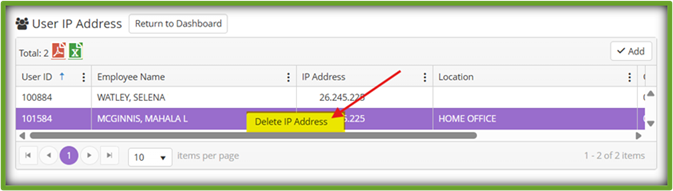
Step 2: Select/Highlight/Click the Desired Employee/IP Address
Step 3: Right Click the Chosen Employee/ IP Address
Step 4: Click Delete IP Address
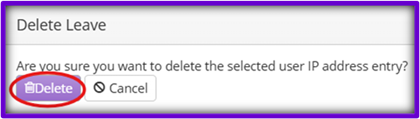
Step 5: Click Delete