
What This Process Does
- Allows to export existing matrix tables to use as a template to update matrix data
- Allows to import a new matrix table data into an existing table
Best Practices
- Matrices allow entry of wage scales to make maintenance of wages easier and consistent.
- Matrices can contain annual salaries, hourly rates or other fixed amounts.
- Knowing how to properly edit the matrix is important in accurately maintaining pay amounts.
- Always select an existing matrix in order to create a new matrix; do not try to add from a blank matrix.
- It is recommended to have a blank matrix template to use for imports to create new matrix tables
If you need help to Set up, Edit and/or Define Matrix please see that solution.
Import Matrix Tables
HR → Payroll → Setup → Edit Matrix
1. If a template is needed to populate the new matrix data click on Select to choose an existing matrix table.
If a template is not needed and a csv file is ready to import, skip to step 2. The export button will export all fields as presented to the user on the screen to a CSV excluding the first column on the left and the first title (header).

Select the most similar matrix table to use as a template and click the Select button at the bottom.
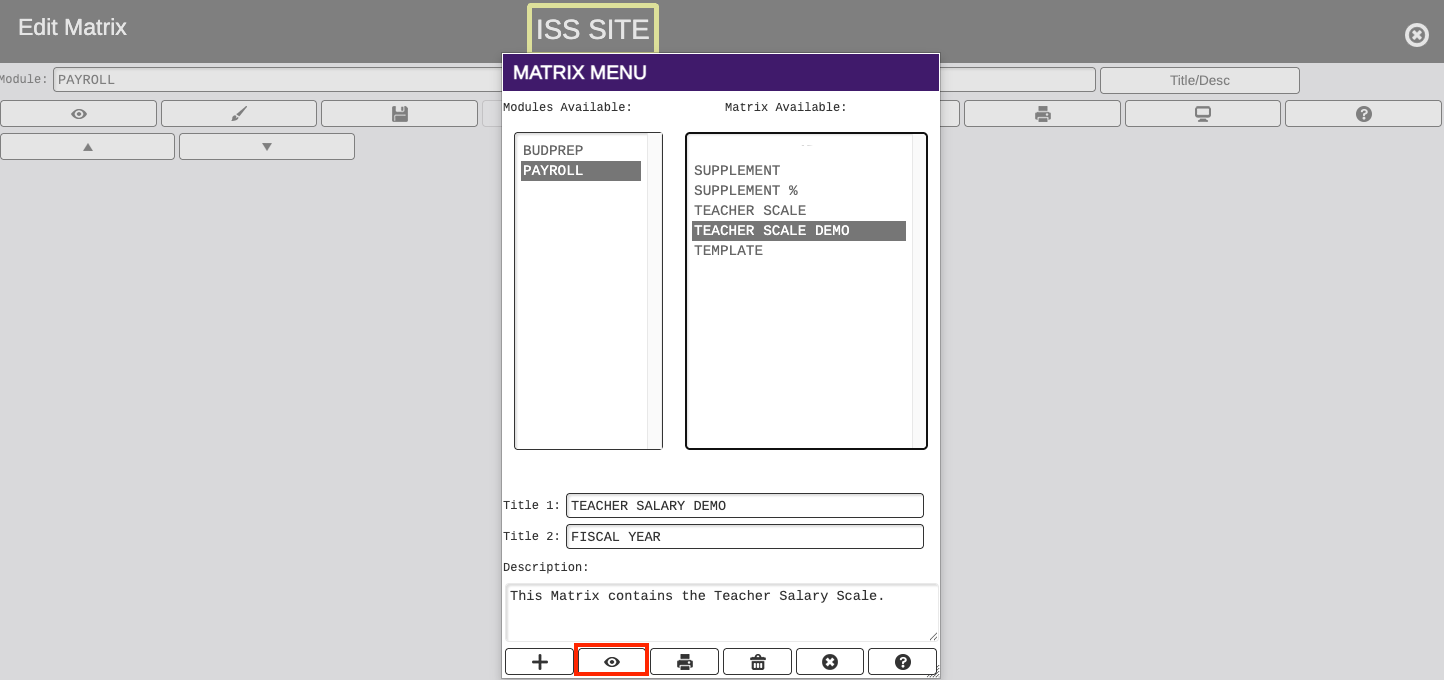
Once the table is pulled up, click on the UP arrow.

Enter the name of the template in the File Name Field and click the UP arrow. The template will download. Template can be updated with new matrix data.

2. Import your csv table file.
Import file parameters:
Dollar figures are in cents, or with an implied decimal place. The Export works the same, such that you could export a matrix, change numbers and re-import.
Pull up the existing Matrix table or template table to be changed and click on the DOWN arrow.
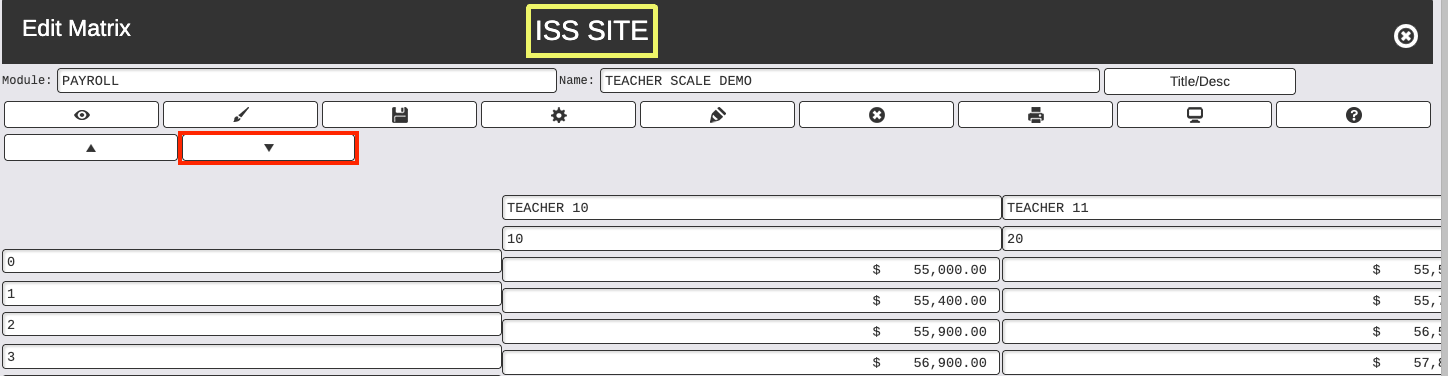
Click on Choose files to select the matrix file. Check box to Skip header line in file if not needed, or uncheck to include the header line. Click the DOWN arrow.

The new data on the file will be updated on the matrix.
If using a blank Matrix Template to import the new file, click on the Name field at the top and rename to a new Matrix name.