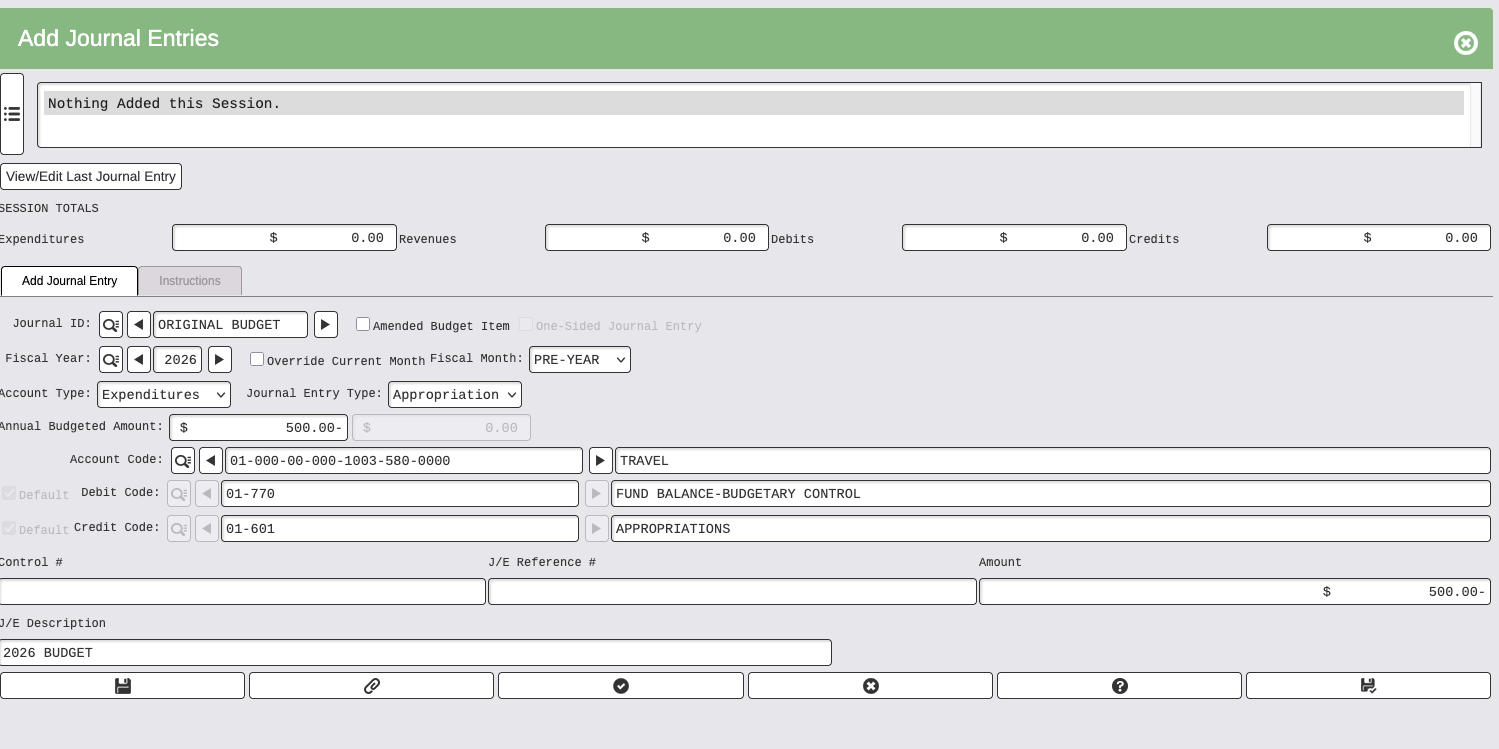
Adjust a budget by creating a Journal Entry selecting:
- Journal ID ORIGINAL BUDGET, if you are changing the original budget
- Journal ID AMENDMENT, if you are adding an amendment to the original budget
- Account Type, either Expenditures or Revenue
- Journal Entry Type, either Appropriation for expenditure, or Estimated Revenue for revenue
To increase the budget amount, enter a positive amount
To decrease the budget amount, enter a negative amount with the minus behind the amount.
Example of increasing original budget amount:
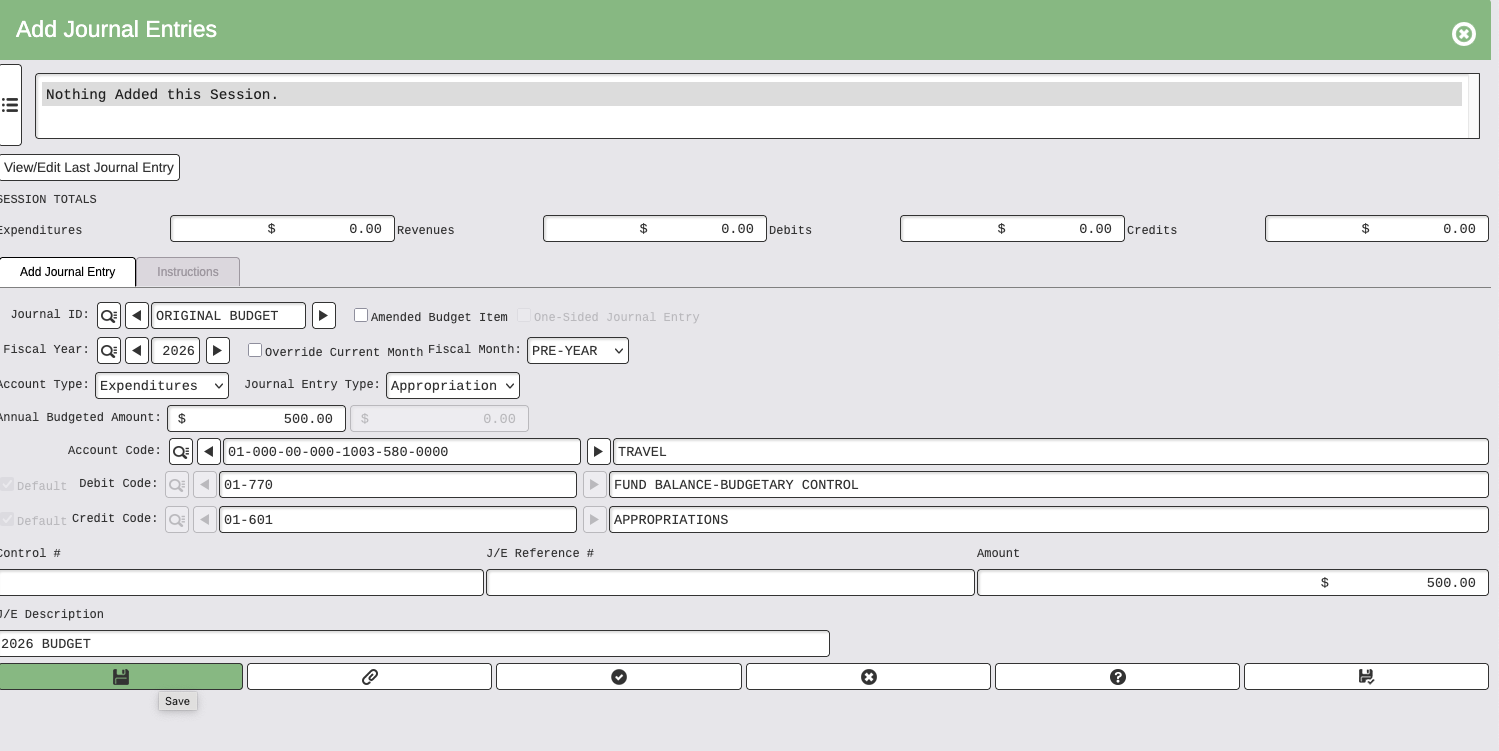
Example of decreasing original budget amount: