
If reviewing the cash drawer shows something in not correct. The client can
Void in Cash Drawer
- Receipts
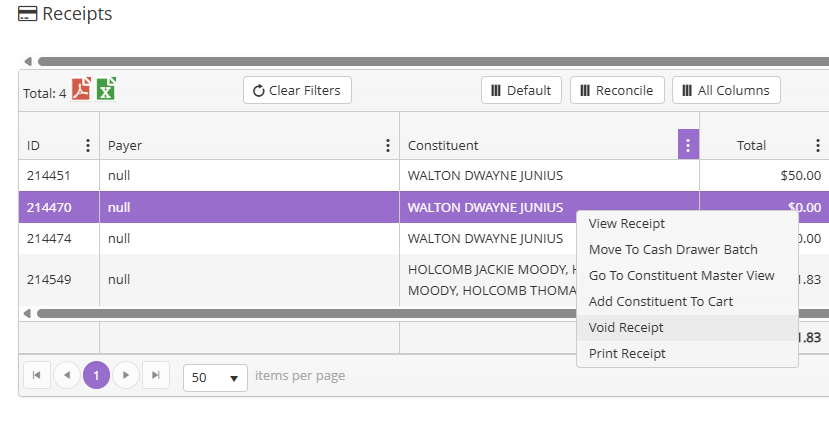
- Filter for Drawer Name, Created (date), constituent
- Right click the receipt item to View Receipt and confirm that is what is needed to be voided, then go back and click on Void Receipt
Void Processed Receipt and Reenter Payment
- Go to Transactions Dashboard
- Click on Receipt
- Filter for Receipt ID
- Right click on receipt to find Void the Receipt
- Click on Confirm Void
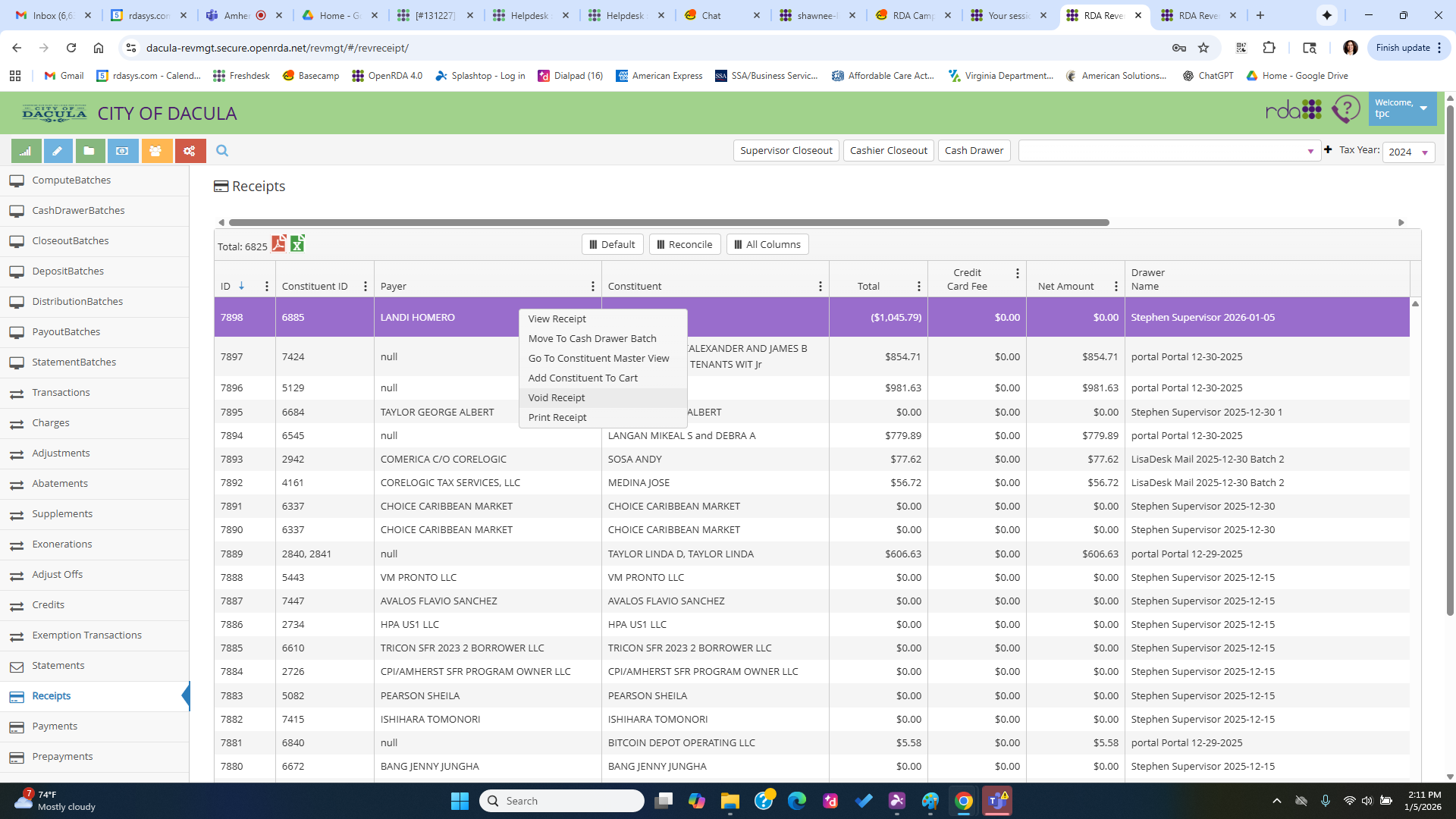
- If there are no Supervisor Batches with their initials open, then the system will create a new one when you confirm Void.
- Run the Supervisor batch through Cashier Closeout and Supervisor Closeout, which will create the negative Deposit and Accounting to back out the Receipt entirely.
- Re-enter the Receipt with correct payment.
- If paying with multiple payment types, add each payment type and save. Do not click on sprinkle pay at any part of this process