
What This Process Does
Allows to change the Payroll Cash Code, Liability Code and Due From Code on the Deduction Description Account.
Requirements
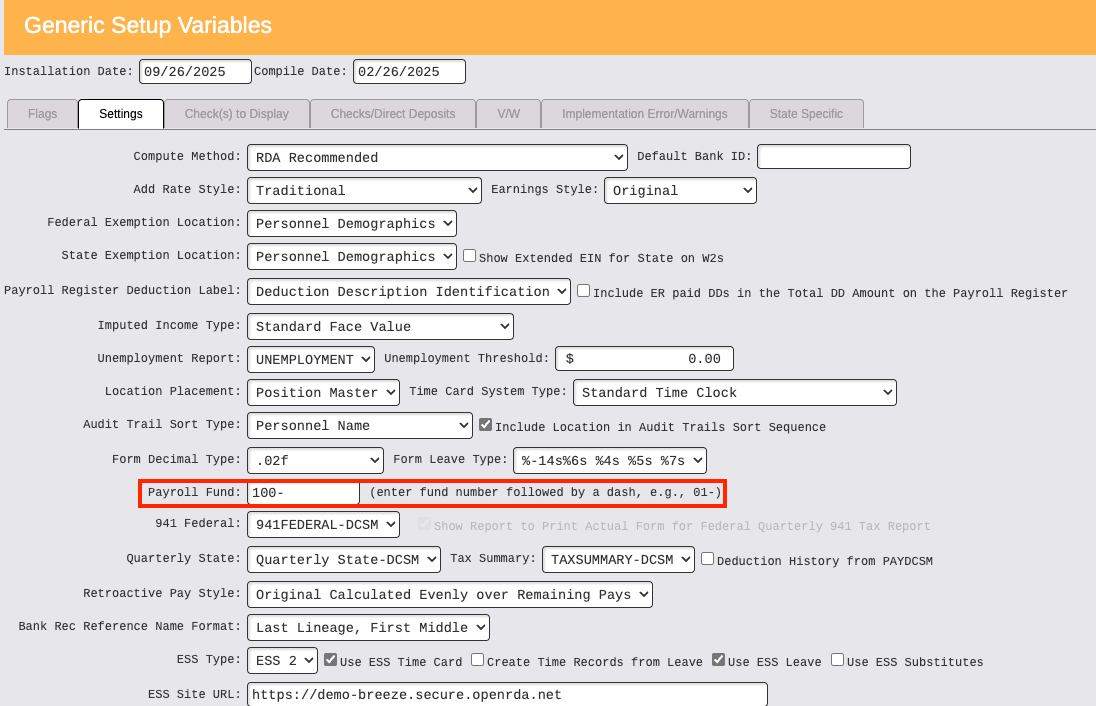
- Payroll → Setup → Setup Variables → Generic Setup Variables → Settings tab → Payroll Fund field must contain Payroll fund number followed by a dash
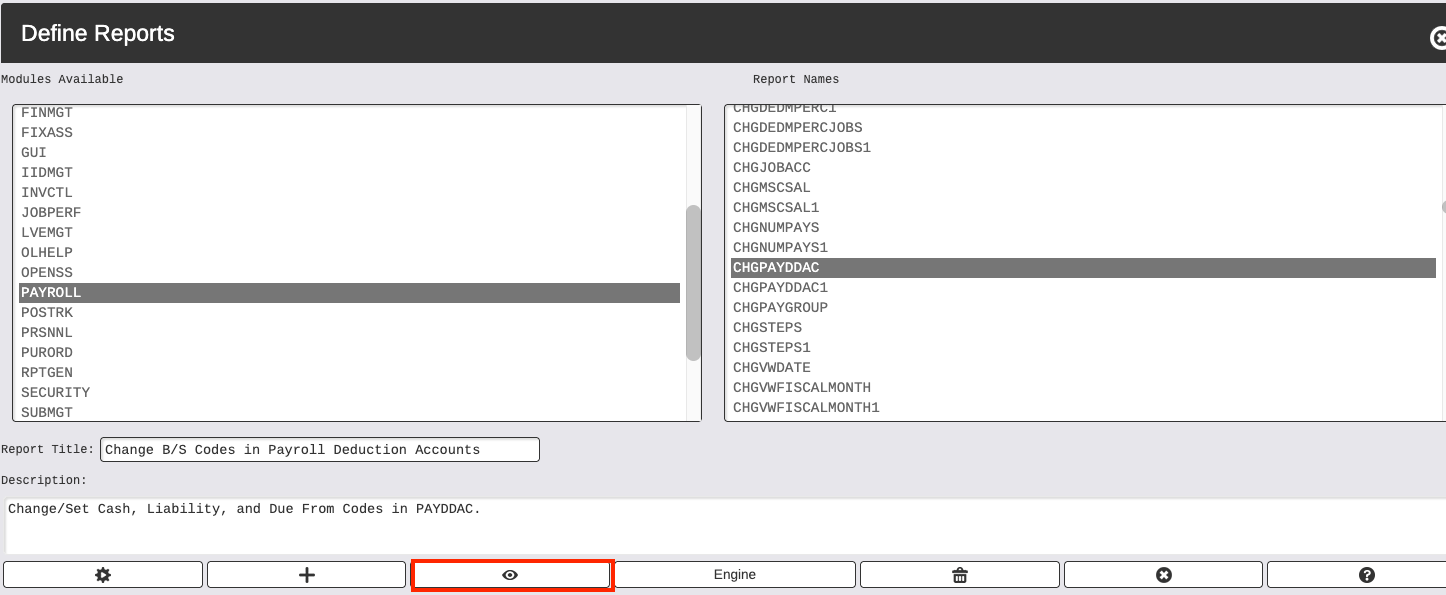
- If the Due From Code is populated and needs to be removed, the Report Definition expression may need to be updated to correct the account image: System Administration → Report Generation / Devices → Define Reports → Select PAYROLL on the left side → Select CHGPAYDDAC on the right → Click Select.
- Select Virtual Fields and go to line 9 and select. The expression
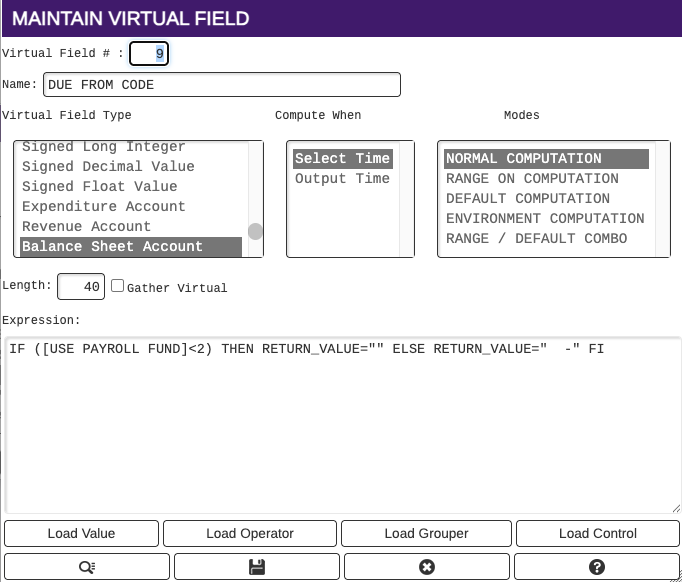
- The [USE PAYROLL FUND] is coming from the Payroll Setup Variables located in Payroll → Setup → Setup Variables → Payroll Setup Variables and Payroll Fund Type. The Fund Type must be set to either Non-Recurring/Non-Clearing (0) or Payroll Recurring (1). The <2 in the epression above is referring to fund types that are less than type 2.
Change B/S Codes in Deduction Accounts
Payroll → Setup → Deductions → Change B/S Codes in Deduction Accounts
- Select the appropriate Payroll Fund Definition Type
- Enter Payroll Cash Code and Payroll Liability Codes without Fund number that you want to change the codes to on the Deduction Account
- If you are only changing either Payroll Cash Code or Payroll Liability Code, enter in the existing code in the appropriate field, both fields are required
- If using Definition Types on the Deduction Accounts, range appropriately to only include the Definition Types that should be included in the change
- Range appropriately on the Deduction Descriptions that should include in the account change
- If a Due From code is populated on the Deduction Account, this process will remove the account when not using a clearing fund or removing the fund from the account image if using a clearing fund
- Click on Select to run the process
- An audit trail will produce
- If correct, set flags (update)