
Payroll ➞ Query ➞ Job Masters
What This Process Does
- Allows to add job level accounts for employer paid deductions
- Job Deduction Accounts will override the normal deduction account expense from the Deduction Description
Add Job Deduction Account
Payroll ➞ Query ➞ Job Masters and range on Personnel ID
Or Payroll ➞ Query ➞ Personnel Demographics select employee ➞ Payroll - Jobs
One job master is selected, click on the box titled Job Deduction Accounts and click Save at the bottom of the Job Master. This will enable the Job Deduction Accounts button.
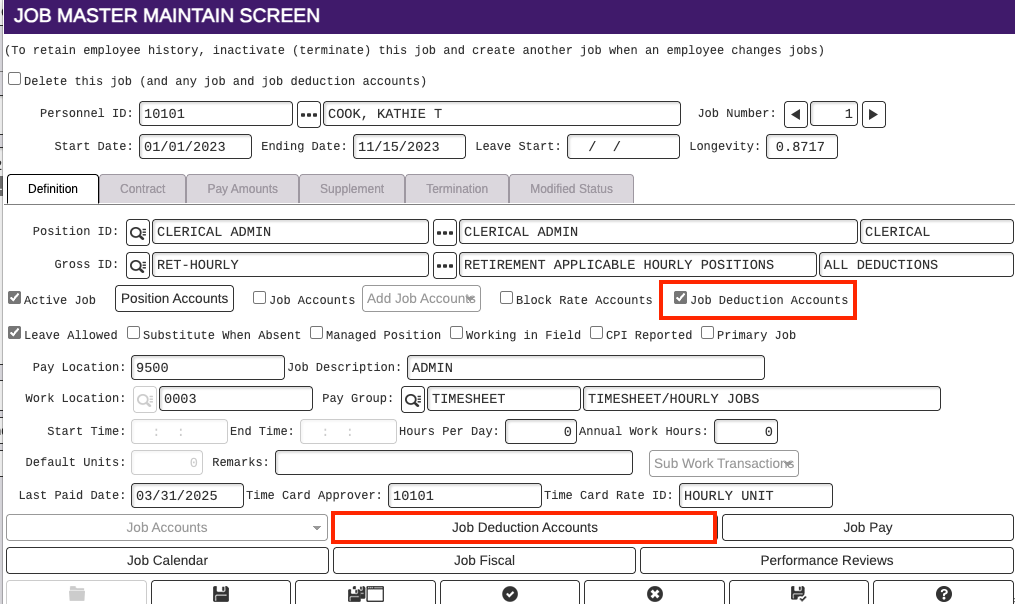
Select job again and click on Job Deduction Accounts button at the bottom. Click on the + button to add a new Job Deduction Account.
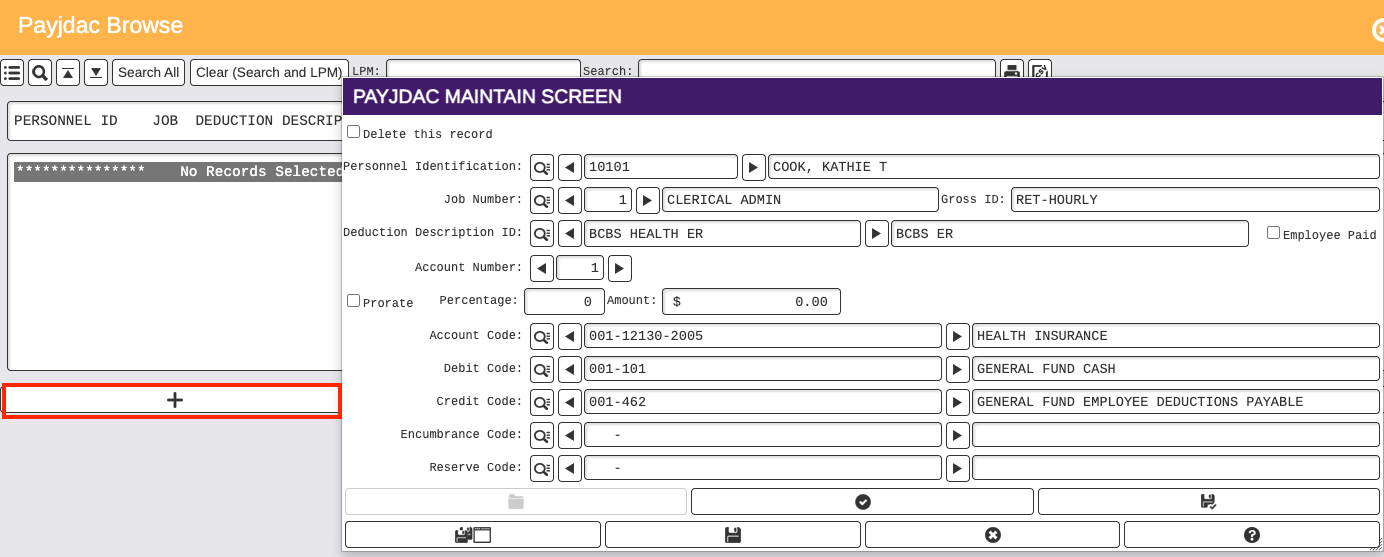
- Select Deduction ID
- Type in Account Number 1 if this is the first Job Deduction Account, otherwise type in next consecutive number
- If there will be multiple Job Deduction Accounts for one deduction that need to be prorated, select the Prorate box and add the percentage for the first account. The last job account entered should NOT have the Prorate box checked and there should be no percentage or amount entered.
- Select Account Code, Debit Code, Credit Code, Encumbrance Code (If applicable), and Reserve Code (If applicable)
- Click Save at the bottom to save the Job Deduction Account
- Repeat steps for each employer paid deduction that needs a