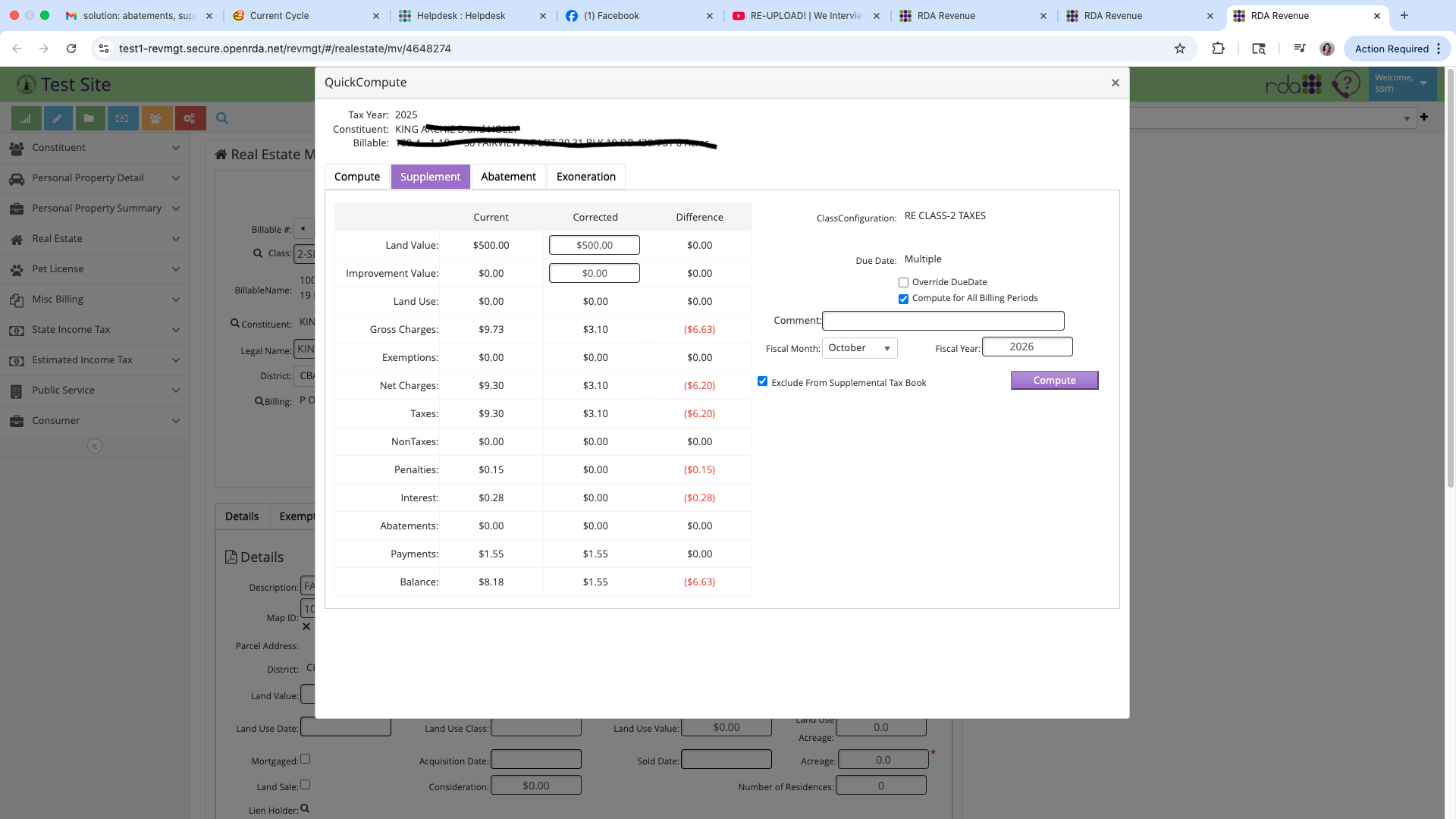
Supplements increase and decrease the Taxable Value, which also adjusts Tax charges
Exonerations decrease Taxes, Penalty, Interest, Plate Fee charges by Billing Period (ex: 1st half or 2nd half). No change to Taxable Value
Abatement decreases Tax charges only, by custom amount. No change to Taxable Value
STEPS:
- go to a Billable Master View
- change Value, Exemptions, etc.
- Save Billable Master View
- Click the Quick Compute button
- go to Abatement, Exoneration, or Supplement tab
- make changes to dates, enter comment
- Click Compute
- 905 Form Memo of Corrected Assessment will open