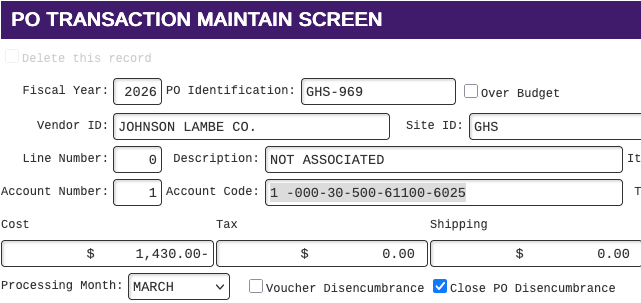
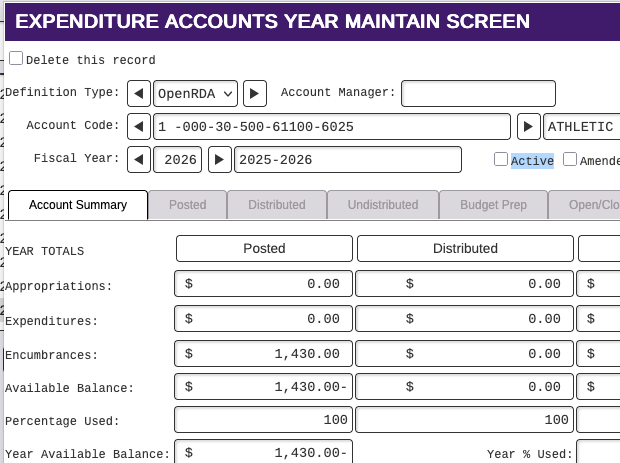
If you run monthly check controls report and find a variance at the bottom, and identifying a fund and account code, calculate the difference, then verify:
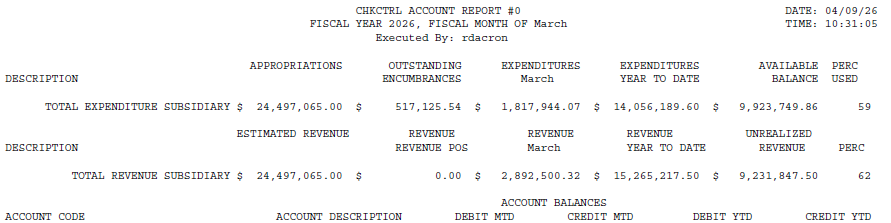
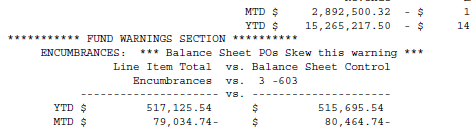
- Expenditures have been distributed, posted
- In Vendor Payments->Final tab Distribute Disencumbrances have been completed
- If any account codes have been inactivated, and had expenditures that are no longer in the activity.
If not, follow up as needed.
EX: Account was inactivated before distributing and posting the disencumbrance. Follow up: Undo the distribution, activate the account code, then distribute and post activity. Remove the encumbrance from the account that wanted to inactivate. It must first be zero (so the check control will match), then inactivate the account.