
Add/Set Table Configurations
Approvers can ADD/SET Table Configurations in any Table View.
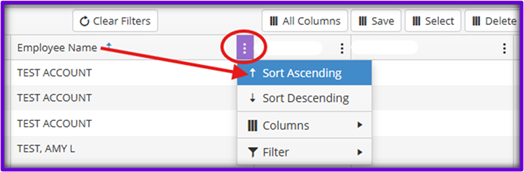
Step 1: Sort and/or Filter the Data in the Table as Desired
Example: Ascending Alphabetical by Employee Name
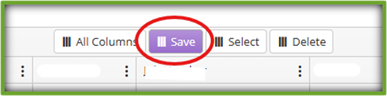
Step 2: Click Save
Step 3: Enter the Desired Name for the Configuration
Step 4: Click Submit
Step 5: Click Ok
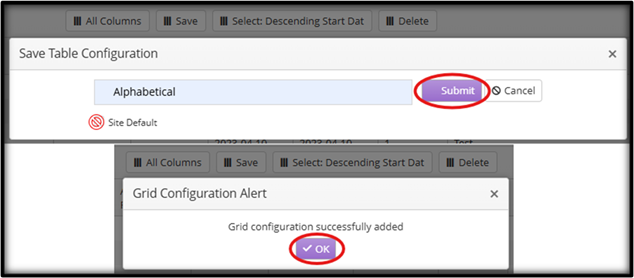
NOTE: Approvers cannot Save Table Configuration Site Defaults.
to SWITCH
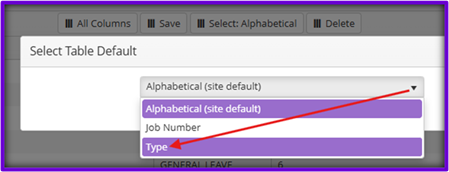
Step 1: Click Select
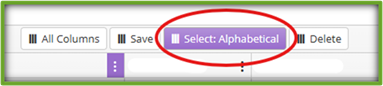
Step 2: In the Select Table Default Dropdown ~ Click on the Desired Table Configuration
to DELETE
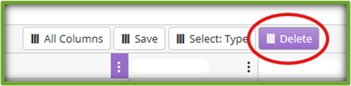
Step 1: Click Delete
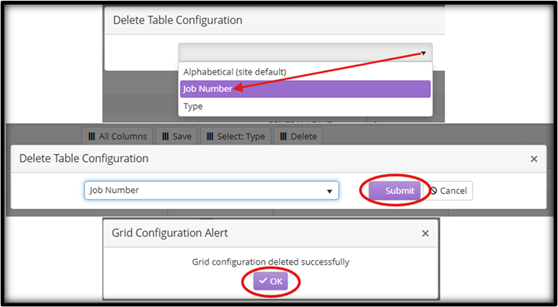
Step 2: In the Delete Table Configuration Dropdown ~ Click on the Desired Table Configuration
Step 3: Click Submit
Step 4: Click Ok
NOTE: Approvers cannot Delete Table Configuration Site Defaults.