
Created to prevent an employee from being rehired.
The DO NOT HIRE flag is located in Demographics on the Status Tab.
This is turned on with a GSV and an ACCESS CODE is need to mark this. Please reach out to support to get the code for the day.
The DO NOT HIRE flag will only be available for terminated or NON PAYABLE status employees.
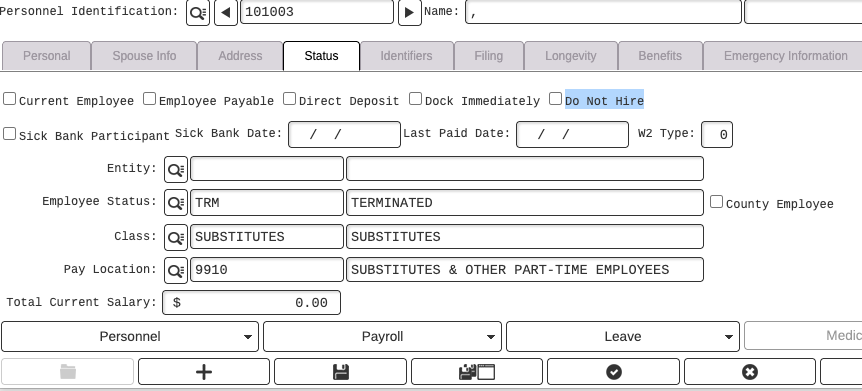
The DO NOT HIRE flag will grey out the employee status and will unflag current employee and employee payable.
To unflag DO NOT HIRE you will need an access code again.